Power BI Training in Chennai with 100% Placement

In this course, we will teach you how to turn complex data into clear insights while you develop the practical analytics skills companies expect from professionals.

Our Course Features:-

What Will You Learn?

  • 40+ Hours Course Duration
  • 1000+ Interview Questions & Answers
  • 100% Placement Facilitation

    Talk to a Consultant

    Fill in the details to get started

    Training Methods

    Training Methods

    LMS Online Learning Platform
    (Life-time Access)

    Course Period

    Course Period

    8 - 12 Weeks Training
    Free Practice Server

    Interview Preparation

    Interview Preparation

    Live Mock Interview
    Preparation

    Course Language

    Course Language

    Tamil & English
    (Students Preference)

    Industry-Focused Power BI Course in Chennai for Data Analytics Careers

    4.7 (11,000 reviews)
    • No-code course, Excel, MySQL, Tableau & advanced Power BI
    Rs. ₹55,000 ₹45,000* No Cost EMI - Rs. 7,500 p.m for 6 months

    Fees Details

    ₹45,000.00 ₹55,000.00

    Power BI Training In Chennai

    Wishlist Share
    Share Course
    Page Link
    Share On Social Media

    About Course

    In this course, we will teach you how to turn complex data into clear insights while you develop the practical analytics skills companies expect from professionals.

    Show More

    What Will You Learn?

    • 40+ Hours Course Duration
    • 1000+ Interview Questions & Answers
    • 100% Placement Facilitation

    Course Content

    Introduction to Power BI

    • Overview of Business Intelligence
    • Components of Power BI
    • Power BI Desktop vs Service

    Installing and Setting Up Power BI

    Data Sources in Power BI

    Data Transformation (Power Query)

    Data Modeling Basics

    DAX Fundamentals

    Advanced DAX

    Data Visualization Basics

    Advanced Visualizations

    Working with Filters

    Slicers and Parameters

    Power BI Service

    Dashboards

    Data Refresh & Gateway

    Row-Level Security (RLS)

    Power BI Mobile

    Power BI Embedded

    Performance Optimization

    Power BI with Excel

    AI Features in Power BI

    Incremental Refresh

    Paginated Reports
    Students work on real business datasets to analyze sales, customers, finance, and operations. This module builds confidence and practical experience.

    Dataflows
    Students understand responsibilities of Data Analyst, Business Analyst, Reporting Analyst, and MIS Analyst. This helps them plan their career path.

    Power BI Administration
    Students learn how to prepare resumes, answer technical questions, explain projects, and attend mock interviews confidently.

    Real-Time & Streaming Data
    This module provides a clear career roadmap, industry expectations, job search strategies, and placement assistance support until employment.

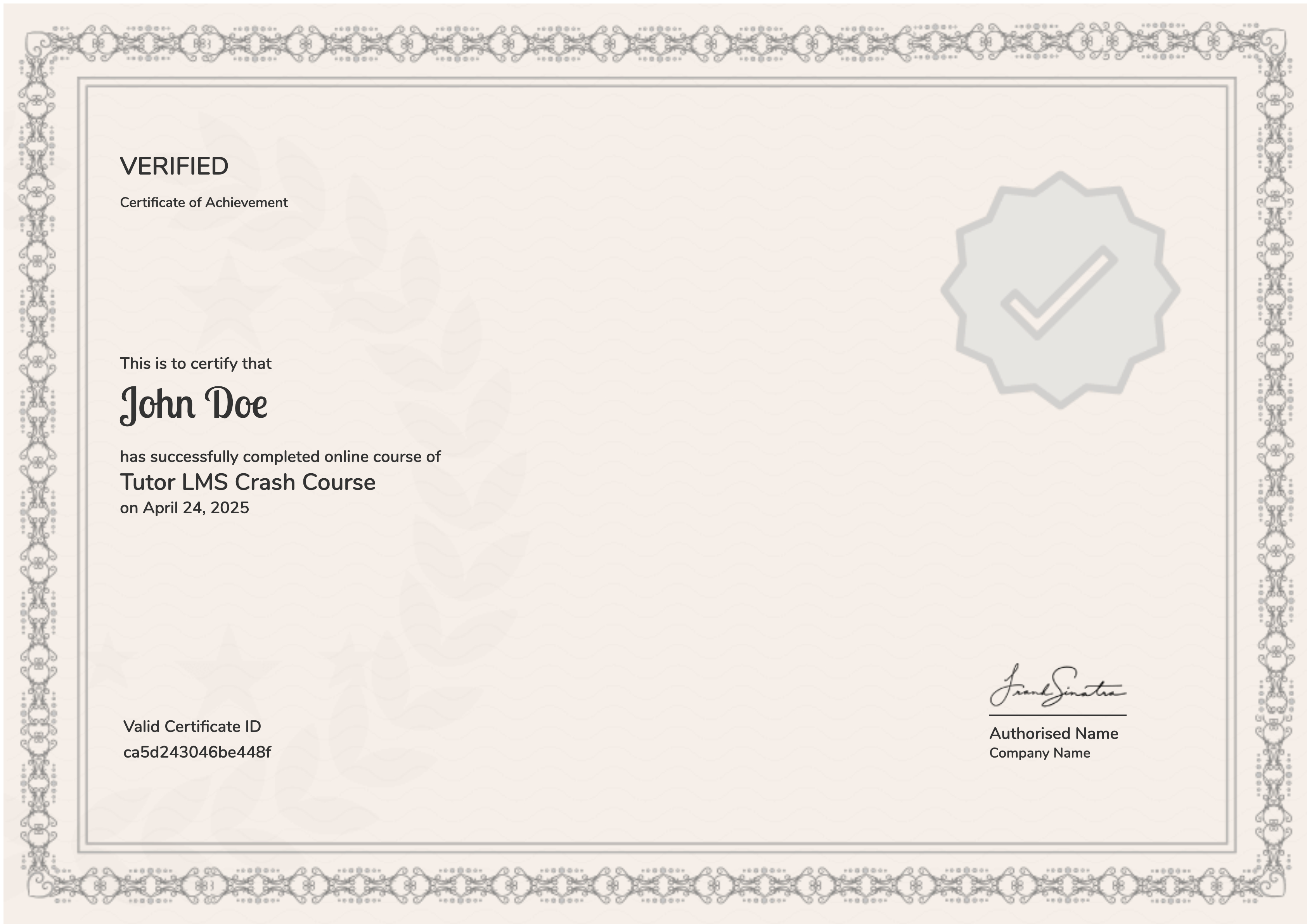
    Earn a certificate

    Add this certificate to your resume to demonstrate your skills & increase your chances of getting noticed.
    selected template

    Student Ratings & Reviews

    No Review Yet

    No Review Yet

    Our Associations

    We are proudly associated with top industry partners and organizations that help our learners gain real-world exposure, placement opportunities, and career growth through quality training programs.

    future_skill

    Future Skills

    nasscom

    NASSCOM Futureskills

    IABAC-Logo

    IABAC

    Course Highlights

    Explore Our Power BI Course in Chennai

    We are here to help you go beyond theory and understand how Power BI is used in real-world business environments to turn data into meaningful insights. This best Power BI course in Chennai is designed to help you gain practical skills and prepare you for a successful career in data analysis and business intelligence.

    What is Power BI?

    Power BI is a powerful Business Intelligence tool developed by Microsoft that helps businesses analyze data and create interactive reports and dashboards. It allows businesses to visualize data, track performance, and make better business decisions using real-time insights.

    As a Power BI professional, you will work with tools and technologies like Power BI Desktop, Power Query, DAX, Excel integration, and data visualization techniques to build dynamic dashboards and transform raw data into actionable insights using the datasets.

    Can Freshers or Non-IT Students Join This Course?

    Yes, as a fresher or non-IT student, you can absolutely join this course. Our Power BI course begins with the basic concepts, making it great for beginners, career switchers, and graduates like you.

    You do not need any prior programming knowledge to get started. All you need is basic computer skills, logical thinking, and the willingness to learn to get started.

    Career Opportunities After This Course

    Once you have completed the course, start your career as:

    • Power BI Developer / Junior Power BI Developer
    • Business Intelligence Analyst (Entry-Level)
    • Reporting Analyst / Power BI Report Developer

    Salary & Career Growth

    The starting salaries may vary based on your expertise, but with practical experience, you can advance quickly and enjoy stable, high-growth career opportunities.

    Why is This Power BI Course Perfect for You?

    • Designed for beginners, freshers, and non-IT backgrounds
    • Learn the skills that are highly in demand across the industry
    • Focus on real-world projects and applications
    • Great for entry-level jobs and career switchers

    Your Earning Potential

    In India, there is a high demand for skilled professionals in Power BI and Data Analytics across industries like IT, healthcare, finance, e-commerce, and data-driven consulting. If you have the right Power BI knowledge, hands-on dashboard projects, and strong data visualization skills, you can build a stable career with strong salary growth.

    Freshers

    Rs. 2.5 LPA – 5 LPA

    Once you have completed your Power BI Certification Course in Chennai, you can start your career in entry-level roles such as Power BI Developer, Data Analyst, or Business Intelligence Trainee, where you will gain exposure to real business data, reporting, and dashboard development.

    Career Switchers

    Rs. 4 LPA – 7 LPA

    For professionals planning to move from a non-IT background, learning Power BI and Business Intelligence tools can help you transition smoothly into data-driven roles. By combining your existing industry knowledge with Power BI and data visualization skills, you can open doors to opportunities in analytics, reporting, and business decision support.

    Experienced Professionals

    Rs. 7 LPA – 12+ LPA

    If you already have experience in data analysis, reporting, finance, or IT, completing this course can help you move into advanced roles such as Senior Power BI Developer, Business Intelligence Analyst, or Data Visualization Specialist, with better salary packages and career growth.

    Disclaimer: The salary ranges mentioned above are estimated based on current industry trends. Actual pay may vary depending on your skills, experience, location, company, and overall performance.

    Frequently Asked Questions

    How will this Power BI course help my career growth? +

    This course helps you build in-demand data analytics skills. With our practical training and placement support, you can improve your career prospects and explore opportunities in analytics, reporting, and business intelligence.

    What makes Placement Point Solutions different from other institutes? +

    At Placement Point Solutions, we focus on practical training, industry-relevant projects, experienced trainers, and strong placement assistance so you gain real job-ready Power BI skills, not just theoretical knowledge.

    Will I learn dashboard design and data storytelling? +

    Yes. We train you to create interactive dashboards and meaningful visualizations so you can present insights clearly and help businesses make smarter data-driven decisions.

    Is this course helpful for career switchers? +

    Yes. Many learners join this course to transition into the data analytics field. We help you build the necessary Power BI skills, projects, and confidence to start a new career path.

    Will I receive a certificate after completing the course? +

    Yes. Once you successfully complete the training at Placement Point Solutions, we provide you with a course completion certificate that validates your Power BI skills and strengthens your profile for job opportunities.

    Is placement support provided after course completion? +

    Yes. At Placement Point Solutions, we provide dedicated placement assistance including resume building, interview preparation, and job referrals so you can confidently step into the data analytics job market.

    What kind of job roles can I apply for after this course? +

    After completing the course, you can apply for roles such as Power BI Developer, Data Analyst, Business Intelligence Analyst, and Reporting Analyst. We help you build skills that employers actively look for.

    Will I get hands-on practical training? +

    Yes. We believe you learn best by doing. That’s why we provide hands-on projects, real datasets, and practical exercises so you can build dashboards and gain real-world experience throughout the course.

    What tools will I learn in this Power BI course? +

    In this course, we train you in Power BI Desktop, Power Query, DAX, data visualization techniques, dashboard creation, and data modeling. You will learn the tools you need to build powerful business reports.

    How do I enroll in the Power BI course? +

    You can directly contact our Placement Point Solutions team through our website or phone. Our team will guide you through the registration process and help you choose the right batch to get started.

    This Power BI Course in Chennai is Not for You, IF

    You are not ready to put effort and learn the skills you need to advance your career. It is designed for individuals who truly want to learn and build real Power BI skills.

    But this course is PERFECT if you are ready to learn, practice consistently, and build valuable skills in Power BI.

    Let’s Walk You Through the Course

    This Power BI Certification Training in Chennai is designed to help you learn step-by-step through consistent practice and to help you build real job-ready data analytics skills with confidence.

    1

    Start with a Strong Foundation

    We begin with the core concepts of data analytics and business intelligence, then move to Power BI fundamentals, interface navigation, data connections, data modeling, and visualization techniques through simple explanations and guided learning sessions.

    2

    Apply Your Knowledge Through Practice

    Next, you start working on real-world datasets, business dashboards, and practical exercises that help you understand how Power BI is used in real companies to analyze data, create reports, and support business decisions.

    3

    Step Into the Power BI Job Market

    Our experienced mentors are here to provide you the support you need with Power BI project guidance, dashboard explanations, resume preparation, and interview readiness, helping you to step into Power BI roles with confidence. s

    Course Feature

    Advanced Features of Microsoft Power BI Course in Chennai

    Are you one of those who is wondering how to start your data analytics career? Well, get enrolled in our Power BI certification course in Chennai to build strong data visualization fundamentals, gain practical business intelligence knowledge, and develop real-world Power BI skills with certification.

    Beginner-Friendly Curriculum

    We begin with the basics of data analytics and Power BI and gradually move toward advanced Power BI concepts, making it perfect for freshers and professionals like you who want to start or switch your careers in the data analytics and business intelligence industry.

    Complete Tool Coverage

    We are here to help you understand the key Power BI tools and technologies such as Power BI Desktop, Power Query, DAX, Data Modeling, and Dashboard Design. This will help you learn how to clean and transform data, create interactive dashboards, and understand how businesses use data insights to make smarter decisions.

    Practical & Hands-On Training

    Practice makes a person perfect. We provide a platform where you can start working with real datasets, build interactive dashboards and reports, and complete practical assignments that help you understand how Power BI is used in real-world scenarios like business reporting, performance analysis, and data visualization.

    Industry-Oriented Learning

    All of our syllabus is designed according to current industry requirements, giving you the opportunity to develop skills that are highly relevant to real Data Analyst and Business Intelligence job roles.

    Interview Preparation Support

    Our team of professional mentors are here to provide the support you need in preparing for Power BI and Data Analyst job interviews by helping you understand commonly asked interview questions, dashboard presentation techniques, and how to confidently explain your Power BI projects and data insights.

    Career Guidance & Support

    Our mentors will guide you in understanding different career paths in data analytics, including roles such as Power BI Developer, Data Analyst, Business Intelligence Analyst, and Reporting Specialist. We also provide placement assistance to help you begin your career in the data analytics industry.

    🎥 Student Video Reviews

    Listen to the Difference We Make in Our Students' Careers

    Bharath

    The course helped me understand Artificial Intelligence from scratch. The explanations were simple, and the practical sessions made concepts easy to follow.

    Harshan

    I come from a non-IT background, and I was worried initially. The step-by-step teaching approach helped me gain confidence and understand Artificial Intelligence modules clearly.

    Monish

    The training was practical and well-structured. The guidance on interview preparation and career direction was very helpful.

    Venkatesh

    I liked the way concepts were explained with real examples. The course is suitable for freshers who want to enter the Artificial Intelligence field.

    Interview Questions & Answers

    📘 INTRODUCTION TO Power Bi

    Q1. What is Power Bi? +

    Power BI is the process of connecting, modeling, and visualizing data to discover useful insights. It helps businesses make better decisions by identifying patterns and trends. Power BI focuses on understanding past and present data. It supports decision-making across industries.

    Q2. Why is Power BI important for businesses? +

    Power BI helps businesses understand customer behavior and improve performance. It allows companies to reduce risks and increase efficiency. Power BI supports strategic planning using data rather than assumptions. It improves accuracy in business decisions.

    Q3. What are the main types of Power BI analysis? +

    The main types are Descriptive, Diagnostic, Predictive, and Prescriptive analysis. Descriptive explains what happened, diagnostic explains why it happened. Predictive forecasts future outcomes, and prescriptive suggests actions. Each type serves a different business purpose.

    Q4. What is the role of a Power BI professional? +

    A Power BI professional collects and analyzes data to generate insights. They create reports, dashboards, and summaries for decision-makers. The role involves data modeling and visualization. Communication skills are important to explain insights clearly.

    Q5. Is Power BI suitable for freshers? +

    Yes, Power BI is suitable for freshers because it starts with basic concepts. It does not require advanced programming knowledge. Logical thinking and practice are more important. With proper training, freshers can build strong careers.

    Q6. What tools are commonly used in Power BI? +

    Common tools include Excel, SQL, Python, and Power BI. Excel is used for basic analysis and reporting. SQL is used to work with databases. Power BI and Python help in visualization and advanced analysis.

    Q7. How is Power BI different from Data Science? +

    Power BI focuses on analyzing and visualizing existing data for insights. Data Science includes advanced concepts like machine learning and AI. Power BI is more business-oriented and beginner-friendly. Data Science requires deeper technical skills.

    📘 UNDERSTANDING POWER BI & ITS IMPORTANCE

    Q1. What is Power BI? +

    Power BI is a tool for collecting, visualizing, and analyzing information. It can handle text, numbers, images, or datasets. Data is imported from various sources. It is the foundation for reporting and decision-making.

    Q2. Why is Power BI important in organizations? +

    Power BI helps organizations understand performance and customer behavior. It supports planning and problem-solving. Businesses use Power BI to improve efficiency. Data-driven decisions reduce risks.

    Q3. What are real-world examples of Power BI usage? +

    E-commerce companies analyze customer purchases with dashboards. Banks use Power BI to monitor transactions for fraud detection. Hospitals visualize patient data for better treatment. Power BI is used in almost every industry today.

    Q4. What is raw data in Power BI? +

    Raw data is unprocessed and unorganized information. It may contain errors or missing values. Raw data is not directly useful for dashboards or reports. It must be cleaned and processed.

    Q5. How does Power BI help in decision-making? +

    Power BI provides factual insights instead of assumptions. It helps compare options and outcomes. Decisions become more accurate with data support. Dashboards reduce uncertainty in business decisions.

    Q6. What is structured data in Power BI? +

    Structured data is organized in rows and columns. It is easy to store in databases. Examples include Excel sheets and SQL tables. It is easy to visualize and analyze.

    Q7. What is unstructured data in Power BI? +

    Unstructured data has no fixed format. Examples include emails, videos, and social media posts. It is harder to visualize. Special tools are required to process it.

    📘 POWER BI BASICS & DATA HANDLING

    Q1. What are the main types of data in Power BI? +

    The main types are structured, semi-structured, and unstructured data. Structured data is organized, semi-structured has some format, and unstructured has no format. Each type requires different handling methods.

    Q2. What are data sources in Power BI? +

    Data sources are places from where data is collected. Examples include databases, Excel files, websites, and APIs. Data can be internal or external. Reliable sources are important for accuracy.

    Q3. What is the Power BI lifecycle? +

    Power BI lifecycle refers to stages like data collection, storage, modeling, analysis, and reporting. Each stage plays an important role. Proper handling ensures data quality. It helps manage data efficiently.

    Q4. What are data formats in Power BI? +

    Data formats define how data is stored. Examples include CSV, Excel, JSON, and XML. Different tools support different formats. Choosing the right format is important for dashboards and analysis.

    Q5. What is data collection in Power BI? +

    Data collection is the process of gathering information. It can be done through databases, Excel files, or APIs. Accurate data collection is essential. Poor data leads to poor analysis.

    Q6. What is data storage in Power BI? +

    Data storage means saving data securely. It can be stored in databases, Excel files, or cloud systems. Proper storage ensures data availability. Security is an important aspect.

    Q7. What is data processing in Power BI? +

    Data processing involves cleaning and transforming data. Errors and duplicates are removed. Data becomes ready for visualization. This step improves data quality.

    Earn a certificate

    Add this certificate to your resume to demonstrate your skills & increase your chances of getting noticed.

    Certificate
    New Concept

    Shaping Your Career with Our Power BI Certification Course in Chennai

    Add Confidence to Your Power BI Journey

    You don’t need to know everything already. We are here to help you understand Power BI step-by-step and build your confidence in data analysis and visualization.

    Turn Your Data Passion into Real Skills

    To support the passion you have for data and analytics, we have designed this course to help you learn how Power BI works in real-world business scenarios.

    Prepare You for Future Opportunities

    There is an increasing demand for Power BI and data visualization professionals. We are here to help you understand Power BI concepts and how they work for an exciting career ahead.

    Concept Image

    Equip You with the Current Skills Required

    We are here to assist you in staying ahead in this data-driven industry with practical Power BI knowledge, dashboard creation, and reporting skills.

    Be Confident as a Power BI Expert

    By the end of the course, you will feel confident working with Power BI, building dashboards, and presenting meaningful insights from data.

    New Opportunities with Better Roles

    Grab the opportunity to learn Power BI and advance into better roles and opportunities in the growing field of business intelligence and data analytics.

    WHY CHOOSE US

    Why Our Power BI Certification Training in Chennai Is the Best Choice

    We focus on building strong fundamentals, practical exposure, and career readiness to help learners succeed in Power Bi roles.

    📘

    Beginner-Focused Learning Approach

    Our Power Bi course is designed to start from the basics and gradually build advanced skills, making it ideal for freshers and candidates from non-IT backgrounds.

    ❤️

    Complete & Industry-Relevant Curriculum

    The course covers all essential tools required for Power BI roles, including Excel, SQL, dashboards, and reporting, ensuring end-to-end knowledge.

    🔥

    Practical Training with Real-World Exposure

    Learners work with real datasets, exercises, and projects that reflect real industry scenarios and build hands-on confidence.

    👥

    Interview Preparation & Career Guidance

    We guide learners on interview questions, resume preparation, and project explanations to face interviews confidently.

    🧭

    Structured & Transparent Learning Path

    The syllabus is clearly defined and shared in detail so learners understand what they will learn at every stage.

    🤝

    Continuous Support Throughout the Course

    Learners receive continuous support for doubt clearing and guidance, ensuring a smooth learning experience from start to finish.

    Our Trusted Collaborators

    Tiger Analytics – Analytics & AI solutions
    Customer Analytics India Pvt Ltd
    Vittena Analytics Pvt. Ltd.
    iBeris Software Solutions
    Lapis Data Analytics Pvt. Ltd.
    Analytics Aura Private Limited
    AIML Data Analytics Solutions
    Wavicle Data Solutions LLC
    Crossroad Elf DSS Pvt. Ltd
    47Billion – Data analytics & AI solutions
    Mammoth Analytics
    Tibil Solutions
    Impact Analytics

    It’s Time You Take Your Career to the Next Phase!

    There is no perfect time for a “tomorrow I will do it" attitude. This is the time to advance your career with our best Power BI course in Chennai. With our mentorship and guidance, master the essential Power BI tools and skills you need to build a future you ALWAYS wanted.

    Get Free Career Guidance
    Beginner-friendly Practical training Career-focused learning
    ×

      Talk to a Consultant

      Fill in the details to get started

      ×