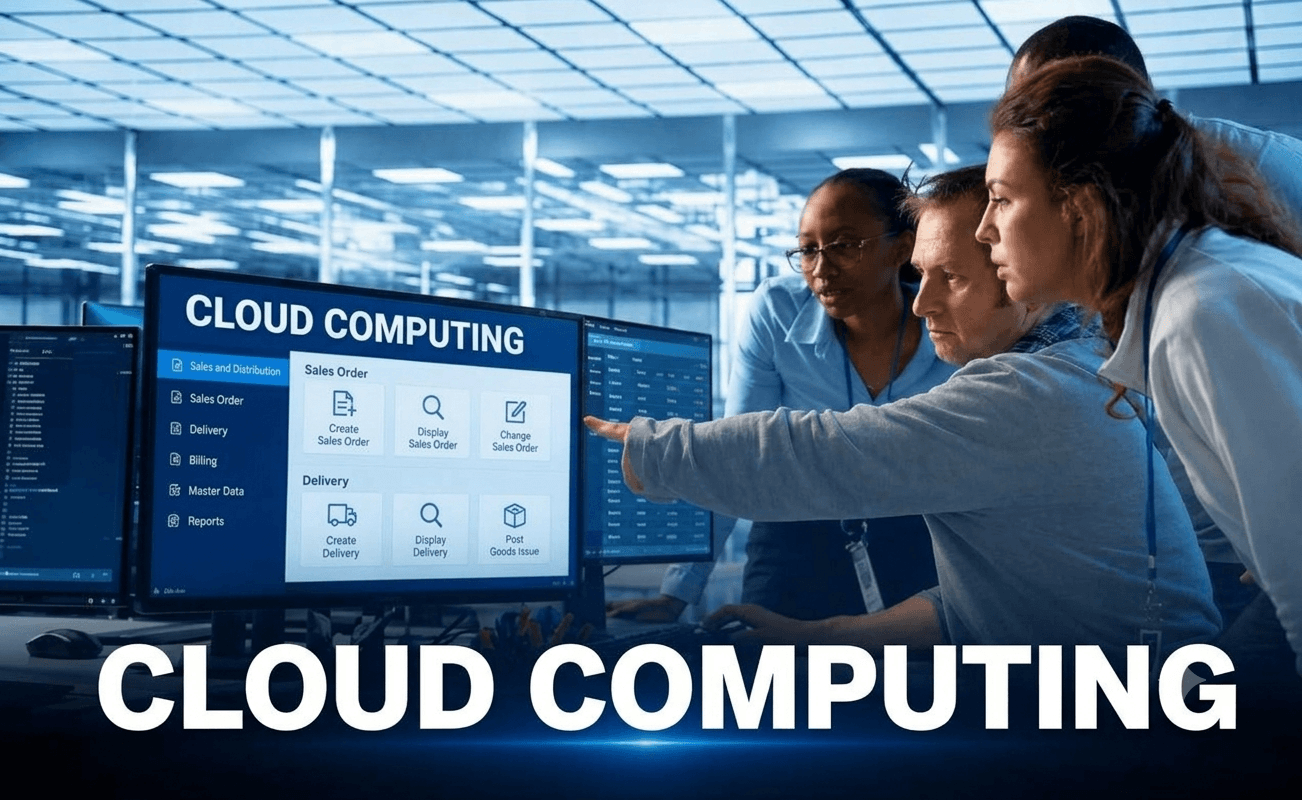
Cloud Computing Course in Chennai

Build your future in cloud technology with our Cloud Computing Course in Chennai at Placement Point Solutions. Learn cloud fundamentals, AWS, Microsoft Azure, cloud infrastructure, networking, storage, security, and deployment through practical training and real-world projects.

Our job-oriented training program helps freshers, graduates, IT professionals, and career switchers develop industry-relevant cloud computing skills with hands-on practice, interview preparation, and placement assistance.

Course Features - Placement Point Solutions:-

What Will You Learn?

  • 40+ Hours Course Duration
  • 1000+ Interview Questions & Answers
  • 100% Placement Facilitation
Call Now

    Talk to a Consultant

    Fill in the details to get started

    Icon for Be confident as the course expert

    Training Methods

    LMS Online Learning Platform
    (Life-time Access)

    course_period

    Course Period

    8 - 12 Weeks Training
    Free Practice Server

    Icon for New opportunites with better roles

    Interview Preparation

    Live Mock Interview
    Preparation

    language

    Course Language

    Tamil & English
    (Students Preference)

    Cloud Computing Course Fees in Chennai

    ★★★★★
    4.7 (11,000 reviews)
    • Planning to join a Cloud Computing Classes in Chennai? At Placement Point Solutions, prospective learners can enquire about course fees, training options, batch schedules, and available payment plans.
    Rs. ₹55,000 ₹45,000* No Cost EMI - Rs. 7,500 p.m for 6 months

    Fees Details

    ₹45,000.00 ₹55,000.00

    About Course

    Build your future in cloud technology with our Cloud Computing Course in Chennai at Placement Point Solutions. Learn cloud fundamentals, AWS, Microsoft Azure, cloud infrastructure, networking, storage, security, and deployment through practical training and real-world projects.

    Our job-oriented training program helps freshers, graduates, IT professionals, and career switchers develop industry-relevant cloud computing skills with hands-on practice, interview preparation, and placement assistance.

    What Will You Learn?

    • 40+ Hours Course Duration
    • 1000+ Interview Questions & Answers
    • 100% Placement Facilitation

    Course Content

    Introduction to Cloud Computing

    • What is Cloud Computing
    • Benefits of Cloud
    • Types of Cloud Deployment Models
    • Business Use Cases

    Introduction to AWS

    AWS Core Services Overview

    Amazon EC2

    Amazon S3

    AWS IAM

    AWS VPC

    AWS RDS

    AWS Lambda

    AWS Elastic Beanstalk

    Cloud Pricing & Billing

    AWS Support Plans

    Shared Responsibility Model

    AWS Security Fundamentals

    Monitoring & Logging

    High Availability & Fault Tolerance

    AWS Storage Services

    Networking Basics

    Migration & Transfer

    DevOps Basics in AWS

    Cloud Architecture Principles

    Containers & Virtualization

    AI & Analytics on AWS

    Exam Preparation

    Career & Certification Guidance

    Earn a certificate

    Add this certificate to your resume to demonstrate your skills & increase your chances of getting noticed.
    selected template

    Student Ratings & Reviews

    No Review Yet

    No Review Yet

    Our Associations

    We are proudly associated with top industry partners and organizations that help our learners gain real-world exposure, placement opportunities, and career growth through quality training programs.

    futureskills prime

    Future Skills

    nasscom

    NASSCOM Futureskills

    IABAC-Logo

    IABAC

    Course Highlights

    Explore Our Cloud Computing Course in Chennai

    Our Cloud Computing Course in Chennai introduces the technology and operational practices behind cloud-based systems. Learners explore how computing capacity, storage, networks, identities, and applications are configured and managed through cloud platforms. The proposed curriculum moves from core terminology to platform fundamentals and practical tasks. It is designed to help learners understand cloud environments, recognise common infrastructure components, and discuss basic deployment and security decisions.

    What Is Cloud Computing?

    Instead of depending solely on equipment on their own property, cloud computing enables individuals and organisations to use computing resources over a network. These resources may include virtual servers, databases, file storage, networking, analytics, and application services. Cloud services can be provisioned as needs change, subject to the provider’s service options and pricing.

    Is Cloud Computing Training Suitable for Freshers and Non-IT Graduates?

    A foundation-level course can be a starting point for freshers, graduates, and career changers who are interested in technology. Previous experience in IT is not always necessary for introductory topics, although basic computer skills and consistent practice are useful. Learners who progress to infrastructure tasks may benefit from learning networking, operating-system, and command-line basics.

    Career Opportunities After This Course

    Depending on their practical skills, previous experience, and employer requirements, learners may explore roles such as:

    • Cloud Support Associate
    • Junior Cloud Administrator
    • Cloud Operations Support Associate
    • Entry-Level Cloud Engineer
    • Technical Support Engineer with cloud responsibilities
    • Junior DevOps Associate, where relevant prerequisites are met

    Completing a course does not by itself guarantee eligibility for every role. Employers may require hands-on experience, platform certifications, scripting knowledge, or additional technical skills.

    Salary and Career Growth

    Career progression in cloud technology often depends on practical ability, problem-solving, platform knowledge, security awareness, and experience supporting real environments. Learners can continue developing their skills in automation, networking, cloud architecture, DevOps, or cloud security as their experience grows.

    Why Choose Our Cloud Computing Training in Chennai?

    • Begin with core cloud concepts before moving into platform topics
    • Explore AWS and Azure fundamentals where included in the confirmed syllabus
    • Understand compute, storage, networking, access, and monitoring
    • Practise cloud scenarios and explain the reasoning behind configurations
    • Prepare for interviews with technical revision and career guidance

    Cloud Computing Salary Insights in India

    Cloud computing salaries vary based on technical skills, experience, certifications, location, and the hiring organization.

    Freshers

    Rs. 3 LPA - 6 LPA

    New learners may investigate entry-level openings in cloud support, technical support, junior administration, or operations. Familiarity with cloud concepts, networking basics, identity permissions, and troubleshooting can help candidates explain their readiness for these roles.

    Career Switchers

    Rs. 5 LPA - 9 LPA

    People working in help desk support, networking, system administration, software support, or related functions may be able to connect their existing experience with cloud skills. The most relevant pathway depends on their current responsibilities and the cloud topics they practise.

    Skilled Experts

    Rs. 8 LPA - 15+ LPA

    Professionals with substantial hands-on experience may progress towards cloud engineering, platform operations, architecture, DevOps, migration, or security responsibilities. Such progression generally requires deeper technical judgement and experience with production environments.

    Disclaimer: Actual salaries depend on the role, employer, location, experience, certifications, and interview performance. Avoid presenting salary ranges as guaranteed outcomes.

    Frequently Asked Questions

    What can I learn in a Cloud Computing Course in Chennai? +

    The proposed syllabus covers cloud fundamentals, service models, virtual machines, storage, networking, security, monitoring, deployment concepts, and guided projects. Confirm the final modules with the training team.

    Can I begin learning cloud computing without prior coding experience? +

    Programming is not a prerequisite for every introductory cloud topic. Linux, scripting, and programming knowledge can be helpful for automation and advanced engineering tasks.

    Which cloud platforms are covered? +

    The proposed content includes introductory AWS and Microsoft Azure topics. Ask the institute which platforms, services, and lab environments are included in the batch you plan to join.

    What are the Cloud Computing Course Fees in Chennai? +

    Fees depend on the confirmed syllabus, duration, training format, and included services. Contact Placement Point Solutions for the latest fee details.

    How long does the course take? +

    The course duration should be confirmed with the institute because it may vary by batch schedule, learning mode, and topic coverage.

    Can freshers join cloud computing classes? +

    A beginner-level course may suit freshers who want to build foundational knowledge. Regular practice and an understanding of basic computer concepts are recommended.

    Does the course include practical work? +

    The proposed syllabus includes guided exercises and project ideas. Confirm the availability of lab access, cloud accounts, and supervised practical sessions before enrolling.

    Will I receive a certificate? +

    Certificate availability, assessment requirements, and completion criteria are determined by the institute’s current policy. Please confirm these details before enrolment.

    Does the course provide placement assistance? +

    Yes, our Cloud Computing Course in Chennai provides placement assistance to help students prepare for job opportunities through practical training, resume-building guidance, interview preparation, and career support.

    What roles can I explore after training? +

    Potential pathways include cloud support, junior cloud administration, cloud operations, and entry-level cloud engineering, depending on your skills and the employer’s criteria.

    Can working professionals enrol? +

    Working professionals may ask about the current timetable, learning style and batch alternatives to see whether the program matches their availability.

    How can I get the syllabus and enrollment details? +

    Contact Placement Point Solutions to request the current syllabus, course fees, duration, batch schedule, and programme terms.

    Who This Cloud Computing Course Is Not For

    This course is intended for learners who want to understand cloud computing and develop practical technical skills. Not everyone will be a good fit for it.

    ✔ If you are ready to learn consistently, practise cloud configurations, and build your technical knowledge, this course can help you explore a career in cloud computing.

    Start Your Journey in AI Today

    Ready to navigate the exciting world of Artificial Intelligence? Join our Artificial Intelligence course in Chennai with placement.

    Enroll Now
    AI Course

    HOW THIS COURSE WORKS

    The Cloud Computing Training in Chennai programme can be presented as a staged learning journey, helping learners connect essential concepts with practical tasks and career preparation.

    1

    Establish Your Cloud Foundations

    Begin with cloud terminology, deployment models, service categories, and the reasons organisations use cloud platforms. Learn how compute, storage, networking, and identity services fit together.

    2

    Explore Platform Services Through Practice

    Move into introductory AWS and Azure services, where available in the programme. Practise understanding virtual machines, storage, network access, permissions, and monitoring using guided examples.

    3

    Connect Your Learning to Career Preparation

    Review the purpose of each configuration, document your project work, and practise explaining cloud concepts in straightforward language. Use interview preparation to identify topics that need further study.

    COURSE FEATURES

    Features of Our Cloud Computing Training Program in Chennai

    The Cloud Computing Course in Chennai is designed to introduce the building blocks of cloud infrastructure and explain how they support everyday technology services. The final depth of each topic should match the approved syllabus.

    Beginner-Friendly Curriculum

    Start with core definitions and service models before moving to infrastructure, networking, storage, identity, and monitoring. This sequence helps learners build context before tackling platform-specific tasks.

    Coverage of Essential Cloud Topics

    Explore virtual machines, cloud storage, virtual networking, permissions, service availability, and basic cost management. AWS and Microsoft Azure modules should be listed according to the platforms actually taught.

    Practical and Hands-On Learning

    Use guided exercises to connect theory with implementation. Depending on the availability of the lab, examples of tasks may include starting a virtual machine, setting up storage access, examining network rules, and monitoring resource metrics.

    Industry-Relevant Concepts

    Understand the decisions involved in deploying and maintaining cloud resources, including access control, monitoring, backup, reliability, and resource usage. Interview Preparation Support Revise key terminology, work through beginner-level technical questions, and practise describing projects and troubleshooting steps. Confirm the exact interview-support activities offered by the institute.

    Career Guidance and Support

    Review entry-level cloud job descriptions, identify relevant skills, and prepare to present your learning clearly. Placement assistance and related services are subject to the institute’s current programme terms

    📘 Artificial Intelligence Interview Questions

    Q1. What is cloud computing? +

    It is a way to access computing services such as processing, storage, networking, and software over a network, often with resources provisioned on demand.

    Q2. What are IaaS, PaaS, and SaaS? +

    IaaS provides fundamental infrastructure resources; PaaS offers a managed environment for developing or running applications; SaaS delivers ready-to-use software over a network.

    Q3. What is the difference between a public and private cloud? +

    Public cloud services run on a provider’s infrastructure and are offered to multiple customers. A private cloud environment is dedicated to one organisation, although its ownership and location can vary.

    Q4. What is a hybrid cloud? +

    A hybrid cloud approach connects or combines private infrastructure with public cloud services to support different workloads and requirements.

    Q5. What is a virtual machine? +

    A virtual machine is a software-based computer that runs an operating system and applications using allocated virtualised resources.

    Q6. What is a cloud region? +

    A region is a geographic area in which a cloud provider operates infrastructure. Service availability and region design vary by provider.

    Q7. What is an availability zone? +

    An availability zone is an isolated location or group of data centres within a cloud region, designed to support resilience when used appropriately.

    Q8. What is object storage? +

    Object storage stores data as objects with associated metadata in a storage system suited to unstructured data such as images, documents, and backups.

    Q9. What is IAM? +

    Identity and Access Management defines identities and permissions, helping control who can access cloud resources and what actions they can perform.

    Q10. Why is multi-factor authentication important? +

    It adds another verification step beyond a password, helping reduce the risk of unauthorised access when credentials are compromised.

    Q11. What is a virtual network? +

    A virtual network provides a logically isolated network environment for cloud resources and can include subnets, routes, and security controls.

    Q12. What is load balancing? +

    Load balancing distributes traffic across multiple targets to help improve application availability and performance.

    Q13. What is cloud monitoring? +

    Cloud monitoring collects information such as metrics, logs, and events so teams can understand resource health and investigate issues.

    Q14. What is scalability? +

    Scalability is the ability to adjust system capacity to handle changing workloads, such as increasing compute resources as demand grows.

    Q15. What is elasticity? +

    Elasticity is the ability to expand or reduce resources in response to changing demand, often automatically when configured.

    Q16. What is the shared responsibility model? +

    It describes how security duties are divided between the cloud provider and the customer. The division depends on the service being used.

    Q17. Why are backups important in cloud environments? +

    Backups provide recoverable copies of data or configurations and can help restore operations after accidental deletion, corruption, or certain incidents.

    Q18. What is Infrastructure as Code? +

    Infrastructure as Code uses machine-readable definitions or templates to provision and manage infrastructure in a repeatable way.

    Q19. What is CI/CD? +

    Continuous integration and continuous delivery or deployment are practices that automate stages of building, testing, and releasing software.

    Q20. What should a beginner practise before a cloud interview? +

    Review cloud service models, networking, virtual machines, storage, IAM, monitoring, security basics, and any projects completed during training.

    Earn a certificate

    Add this certificate to your resume to demonstrate your skills & increase your chances of getting noticed.

    Certificate
    New Concept

    Shaping Your Career with Our Cloud Computing Course in Chennai

    Icon for Add Confidence to your AI journey

    Foundational Learning Path

    Build familiarity with cloud service models, core architecture, virtual infrastructure, storage, and networking before moving to platform-specific concepts.

    Icon for one of the course features

    Broad Topic Coverage

    Study the purpose of compute, storage, identity, networking, security, monitoring, backup, and cost management services. Review the final syllabus to confirm which services are taught in detail.

    Icon for Prepare You for the Future Opportunities

    Practical Learning Activities

    Use structured tasks and project exercises to understand how cloud resources are created, configured, secured, and monitored. Practice should follow the lab access and guidance provided by the institute.

    center-img
    Icon for Equipped You with the current skills Required

    Understanding Business Use Cases

    Learn how organisations use cloud services to host websites, support business applications, store files, monitor systems, and adapt capacity to workload changes

    Icon for Be confident as the course expert

    Interview Readiness

    Prepare to describe cloud fundamentals, explain your practical exercises, and reason through simple infrastructure questions. Additional practice may be needed for role-specific interviews.

    Icon for New opportunites with better roles

    Career Guidance

    Explore suitable job descriptions and plan the next steps in your learning, such as deeper platform study, certification preparation, scripting, or DevOps fundamentals.

    Why Choose Us

    Why Choose Our Cloud Computing Training in Chennai?

    Knowledge of cloud computing helps learners comprehend how digital services are housed, linked, secured and maintained. Placement Point Solutions can use this section to explain the actual learning support and facilities available for the course.

    📘

    Understand the Building Blocks of Cloud

    Learn how computer, storage, networking, identity, and monitoring services work together. This foundation helps learners interpret cloud architecture and deployment choices.

    ❤️

    Explore AWS and Azure Concepts

    Develop introductory familiarity with AWS and Microsoft Azure if both platforms are included in the confirmed training plan. Focus on service purpose, basic configuration, and responsible access.

    🔥

    Learn Core Security Practices

    Understand access permissions, multi-factor authentication, encryption basics, and the importance of monitoring. Safe configuration is an essential part of managing cloud resources.

    👥

    Connect Networking with Cloud Infrastructure

    Explore IP addresses, subnets, routing, DNS, and network security rules to better understand how cloud resources communicate.

    🧭

    Practise Monitoring and Troubleshooting

    Learn to inspect resource status, metrics, logs, and configuration settings when investigating common issues. Guided labs can help turn concepts into a repeatable troubleshooting process.

    🤝

    Prepare for Cloud-Related Roles

    Build a foundation for discussing cloud services, practical tasks, and project work during interviews. Job readiness depends on demonstrated skills and employer criteria, not course attendance alone.

    Our Trusted Collaborators

    Tiger Analytics – Analytics & AI solutions
    Customer Analytics India Pvt Ltd
    Vittena Analytics Pvt. Ltd.
    iBeris Software Solutions
    Lapis Data Analytics Pvt. Ltd.
    Analytics Aura Private Limited
    AIML Data Analytics Solutions
    Wavicle Data Solutions LLC
    Crossroad Elf DSS Pvt. Ltd
    47Billion – Data analytics & AI solutions
    Mammoth Analytics
    Tibil Solutions
    Impact Analytics

    It’s Time You Take Your Career to the Next Phase!

    There is no perfect time for a “tomorrow I will do it" attitude. This is the time to advance your career with our best AI course for freshers in Chennai. With our mentorship and guidance, master the essential AI tools and skills you need to build a future you ALWAYS wanted.

    Get Free Career Guidance
    Beginner-friendly Practical training Career-focused learning
    ×

      Talk to a Consultant

      Fill in the details to get started

      Want to receive push notifications for all major on-site activities?

      ✕