Q1. What is SAP SD? +
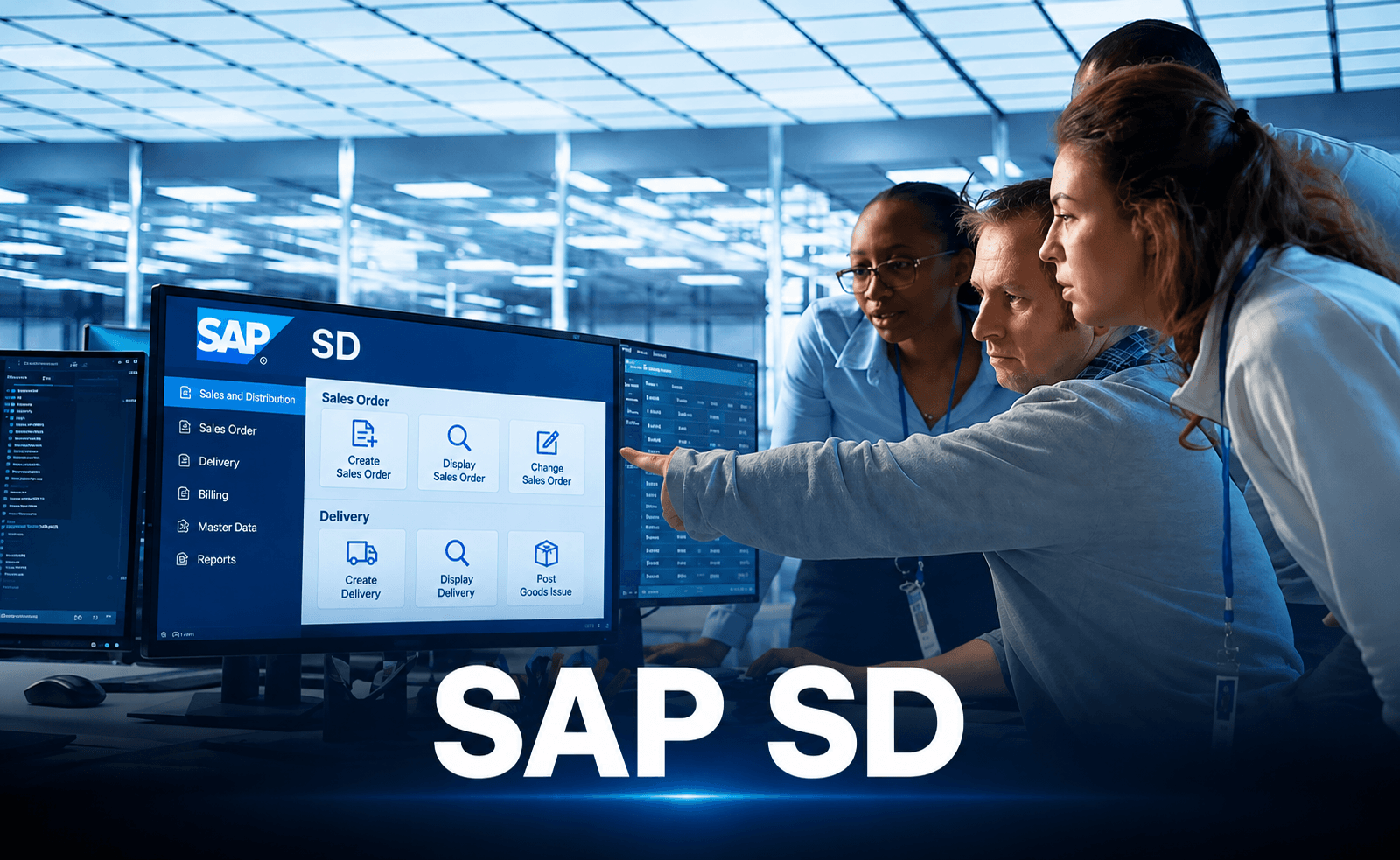
SAP SD (Sales and Distribution) is an SAP module used to manage sales-related business processes, including customer orders, pricing, delivery, shipping, and billing
Q2. What is a sales area in SAP SD? +
The Sales Organisation, Distribution Channel, and Division are the three organisational entities that constitute a Sales Area. It defines how a company manages its sales activities
Q3. What is the Order-to-Cash Process in SAP SD? +
The Order-to-Cash process manages each stage of a sales transaction, beginning with order placement and continuing through delivery, invoicing, and payment collection. It typically includes sales order creation, delivery, goods issue, billing, and payment processing.
Q4. What is the difference between an enquiry and a quotation? +
An enquiry is a customer's request for information about products, prices, or availability. A quotation is an official proposal that outlines suggested rates and conditions for the client.
Q5. What is pricing in SAP SD? +
Pricing determines the final price of a product or service. It can include the base price, discounts, surcharges, taxes, and freight charges based on the configured pricing procedure.
Q6. What is a Delivery Document in SAP SD? +
A delivery document captures the specifics of items being transported to a client. It supports delivery processing, picking, packing, and goods issue activities.
Q7. What is billing in SAP SD? +
Billing is the process of creating invoices and other billing documents for customer transactions. Billing documents can also trigger accounting entries in SAP Accounting, depending on the configuration.
Q8. What are the variations between SAP SD and SAP MM? +
SAP SD manages customer orders, pricing, deliveries, and billing, whereas SAP MM handles purchasing activities, material procurement, and stock management. Both modules integrate to support activities such as product availability and goods movement.
Q9. How does SAP SD integrate with SAP FI? +
SAP SD integrates with SAP FI (Financial Accounting) when billing documents generate accounting entries. This helps record customer receivables, revenue, and relevant taxes in the financial system.
Q10. What is an Item Category in SAP SD? +
An item category controls how an individual item in a sales document behaves. It helps determine relevant processes such as pricing, delivery, billing, and schedule line requirements.
Q11. Why is SAP SD important for a business? +
Businesses can effectively handle sales orders, pricing, deliveries, and billing with the aid of SAP SD. It improves visibility into sales activities and supports smoother order processing.
Q12. Why is a sales organisation required in SAP SD? +
A Sales Organization represents the organizational unit responsible for selling products or services. It facilitates the management of customer transactions, sales reporting, and sales activities.
Q13. Why is a Partner Function used in SAP SD? +
Partner Functions identify the roles involved in a business transaction, such as sold-to party, ship-to party, bill-to party, and payer
Q14. Why is a customer master record important in SAP SD? +
A Customer Master Record stores important customer information, including address, payment terms, shipping details, and sales-related data. SAP uses this information during sales order processing.
Q15. . Why is the Pricing Procedure used in SAP SD? +
The Pricing Procedure determines how prices, discounts, taxes, and surcharges are calculated in a sales transaction. It helps apply the correct pricing rules to customer orders
Q16. How does SAP SD process sales orders? +
The process generally begins with creating a sales order, followed by delivery processing, picking and packing where applicable, goods issues, billing, and payment processing.
Q17. How does SAP SD determine the delivery date? +
SAP SD uses factors such as the requested delivery date, availability of materials, transportation scheduling, and relevant lead times to determine delivery dates.
Q18. How does SAP SD calculate the final price? +
SAP SD uses a configured pricing procedure containing condition types to calculate the base price, discounts, surcharges, taxes, and other applicable charges.
Q19. How does SAP SD integrate with SAP MM? +
SAP SD integrates with SAP MM to verify material availability and support delivery-related goods movements. This integration helps coordinate sales requirements with inventory and logistics processes.
Q20. How does SAP SD integrate with SAP FI? +
When a billing document is created and accounting integration is configured, SAP SD can generate corresponding accounting entries in SAP FI, such as customer receivables and revenue postings.